 BiroPS NextGen
Smart Reporting Transformation Program
Work Smarter. Build Better Digital Solutions. Grow with Confidence.
We help professionals and businesses improve reporting, simplify repetitive work, build a stronger online presence, and develop practical digital skills through websites, dashboards, Excel automation, AI-assisted workflows, and training.
Learn to improve one recurring reporting workflow through practical Excel, Power BI, and AI techniques—with personalised guidance and implementation support.
An eight-week guided program for accounts, finance, and MIS professionals.
Practical learning. Your real reporting task. Guided implementation.
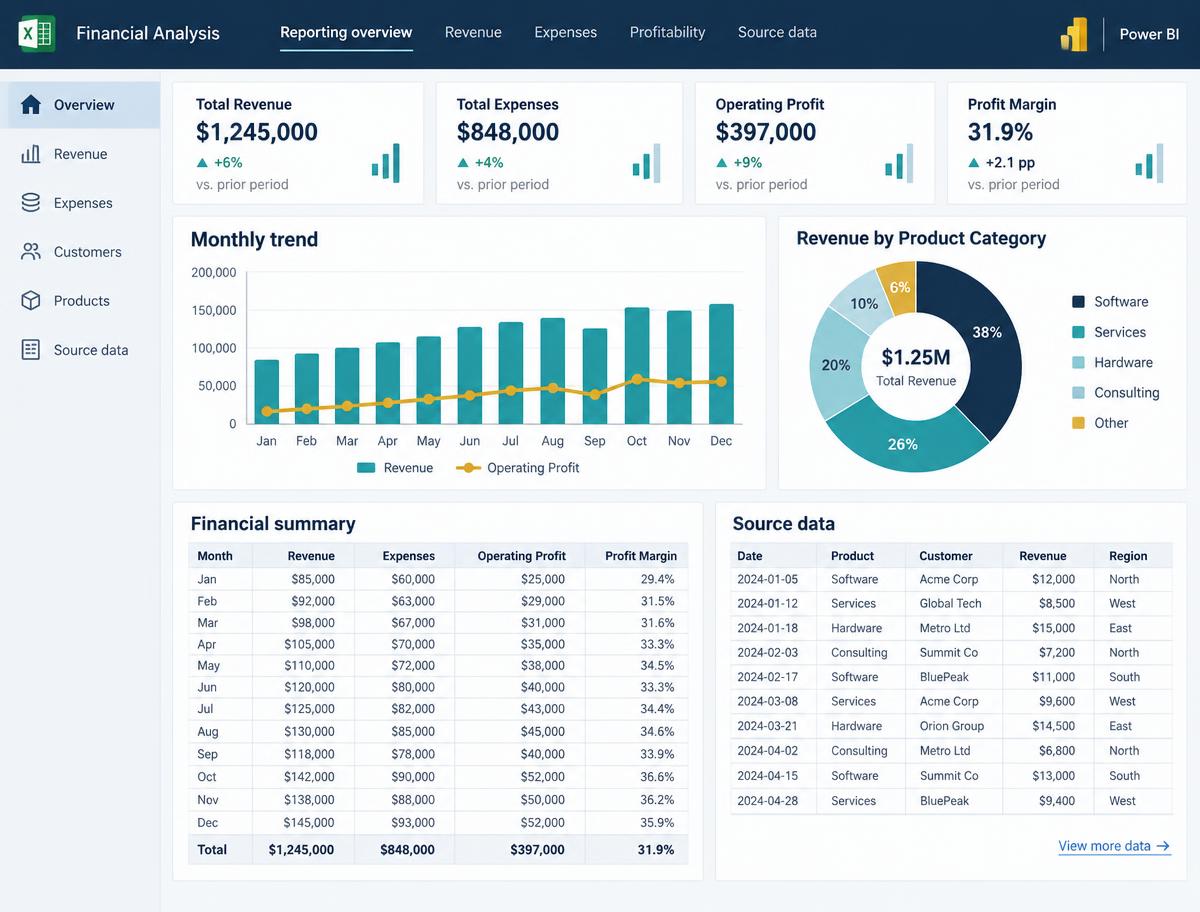
Your reporting work should not feel harder than the work itself.
Reporting is an important part of your role. The challenge often lies in repeating the same steps, handling changing data, and trying to keep everything accurate while learning new tools along the way.
The same steps, again and again
Recurring reports require repeated copying, formatting, calculations, and preparation.
Too much manual effort
Routine updates can become difficult to manage when information comes from multiple sources.
Digital tools feel overwhelming
Excel, Power BI, and AI offer possibilities, but knowing which technique to use in your own work is not always obvious.
Learning without implementation
Watching tutorials is one thing. Applying a technique to an actual reporting workflow is another.
You do not need to change everything at once. Start with one recurring workflow that matters in your day-to-day work.
Discuss My Reporting ChallengeMove from repeated manual steps to a more structured reporting process.
The aim is practical improvement, not learning technology for its own sake. Work on one agreed reporting workflow and learn how relevant tools and techniques can support the way you work.
Before
- Repeating reporting steps manually.
- Unclear opportunities to simplify the process.
- Learning digital tools without a clear workplace application.
- Limited structure for checking and reusing the workflow.
After
- A mapped reporting workflow with clearer steps.
- Relevant Excel, Power BI, and AI techniques applied where appropriate.
- A practical error-checking process.
- Documentation and practice intended to help you reuse the improved workflow.
The program provides the learning, templates, guided practice, and implementation support. Your actual results depend on your reporting task, available data, workplace systems, participation, and implementation.
The S.M.A.R.T. Reporting Method
A clear method for improving one real reporting workflow.
Instead of approaching every reporting problem from scratch, follow a structured process that takes you from understanding the task to testing and transferring the improved workflow.
- S
Stage 1
Study
Understand the recurring report, its purpose, its inputs, and the challenges in the current process.
- M
Stage 2
Map
Lay out the existing steps so that the workflow and its dependencies become clearer.
- A
Stage 3
Automate
Identify suitable repetitive tasks and apply relevant Excel, Power BI, or AI techniques where appropriate.
- R
Stage 4
Report
Build or improve the reporting output using a suitable structure, dashboard, or presentation.
- T
Stage 5
Test
Use checks and structured review to examine the workflow and its output.
- T
Stage 6
Transfer
Document the process and practise how to reuse the improved workflow.
The method is designed to connect learning with implementation. The objective is to improve one agreed reporting workflow—not to automate every process in your office.
Book a Reporting Workflow Clarity CallCoaching & Training
From the Basics to Workplace Confidence.
An 08-week practical computer confidence programme, specially designed for working professionals of Government and PSU sector aged 35–55 years.
Why Join?
- Build confidence using a computer at work
- Reduce dependence on colleagues for basic tasks
- Feel less worried about making mistakes
- Keep up as office work becomes digital
- Improve confidence and promotion readiness
- Explore AI without confusing technical language
Why Learn With Me?
- 20+ years of experience as a working professional
- I am in the same age group and understand office challenges from experience
- Practical, patient, step-by-step guidance
- Focus on everyday workplace tasks
- AI explained in simple, easy language
What You'll Learn
- Computer basics, typing, files and folders
- Internet, email and essential digital skills
- Word, Excel and everyday office tasks
- AI tools in very easy language
"It is never too late to learn."
— Manjeet Kumar, BiroPS NextGen
Practical guidance • From the basics, at your pace
Want to join the next batch or learn more? Register your interest and we will get in touch with the details.
Register Your InterestPractical resources, guided work, and implementation support.
Each part of the program supports a different stage of improving your reporting workflow.
01
Understand your workflow
- Personal Workflow Audit — examine the reporting task you want to improve.
- Excel Reporting Toolkit — access practical Excel reporting resources.
- AI for Office Work Playbook — explore relevant AI techniques for office work.
02
Build and improve
- Guided Reporting Automation — work through implementation of the agreed reporting workflow.
- Dashboard and Presentation Lab — practise presenting reporting information clearly.
- Error-Checking Checklist — use a structured checklist when reviewing the workflow and output.
03
Implement and continue practising
- Implementation and Review Support — receive guidance and review support during the program.
- Ready-to-Adapt Reporting Templates — start with templates that can be adapted to relevant tasks.
- Office AI Prompt Library — access prompts for appropriate office-work applications.
- 30-Day Implementation Tracker — organise and track implementation practice.
The resources are intended to support practical application. Their suitability will depend on the task, data, software access, and workplace requirements.
Eight weeks focused on practical implementation.
Follow a structured learning and practice journey, with weekend live sessions and guided implementation.
Step 1
Identify
Select a recurring reporting task and understand the existing process.
Step 2
Plan
Map the workflow and identify appropriate opportunities for improvement.
Step 3
Practise
Apply relevant techniques through structured implementation practice and weekend live sessions.
Step 4
Review and transfer
Test the workflow, use the available checks, and document the process for future use.
Specific tasks, implementation steps, and milestones will depend on the agreed workflow.
This program includes weekend live sessions and structured implementation practice. The exact weekly time commitment has not been specified; discuss your availability and reporting task during the clarity call.
Start with a real reporting challenge—not empty promises.
The program is built around a defined method, practical resources, guided implementation, and structured review. Rather than asking you to rely on broad promises, the approach centres on the reporting workflow you want to improve.
The six-stage method
- 1Study
- 2Map
- 3Automate
- 4Report
- 5Test
- 6Transfer
Fragmented manual steps → an organised sequence
- Source DataFiles, exports, ledgers
- Excel ProcessingClean, combine, calculate
- Power BI / ReportingStructured output
- Error ChecksReview before release
- Reusable WorkflowDocumented for next cycle
- Source totals match the original data
- Formulas reference the correct ranges
- No blank or duplicate key records
- Period and filters are correct
- Output reviewed before circulation
These are demonstrations of the method and proposed deliverables, not testimonials or verified customer outcomes.
Is this the right approach for you?
This program may suit you if:
- Suits: You work in accounts, finance, or MIS.
- Suits: You work in government, a PSU, or another organisation.
- Suits: You are aged approximately 35–55 and want a practical way to work with digital reporting tools.
- Suits: You have a recurring report you would like to improve.
- Suits: You are willing to practise, participate, and work on an agreed workflow.
- Suits: You want guided implementation rather than technology theory alone.
You may need a different solution if:
- Not a fit: You want a completely automated enterprise system built without your participation.
- Not a fit: You need a custom software product or complex IT integration rather than guided reporting improvement.
- Not a fit: You are looking for guaranteed financial results, promotion, or specific productivity gains.
- Not a fit: You cannot participate in the program's weekend sessions or structured practice.
The best starting point is a reporting task you understand and want to improve.
A practical investment in improving your reporting workflow.
Get structured guidance, practical reporting resources, and implementation support through the Smart Reporting Transformation Program.
8-week program · Weekend live sessions and structured implementation practice.
Let's Find a Smarter Way to Handle Your Reporting Work
Discuss your current reporting challenges with me, explore the right learning approach for your needs, and understand the program details before making a decision.
Program fees and payment options are explained personally during the clarity call, so you can decide with complete clarity before enrolment.
Book a Reporting Workflow Clarity CallSupport when your agreed practice workflow remains incomplete.
If your agreed practice workflow remains incomplete despite meeting the published participation requirements, you may receive up to two additional individual support sessions.
This support is subject to the program's published participation requirements. The detailed requirements must be confirmed and published before enrolment.
Frequently asked questions
Your next reporting improvement can start with one task.
You do not need to transform every process at once. Start by identifying one recurring report, understanding where the effort lies, and discussing how a structured workflow could help.
Book a Reporting Workflow Clarity CallShare your reporting challenge through the enquiry form. Booking details and the next step will be confirmed once the contact workflow is configured.
Fragmented manual steps → an organised sequence
- Source DataFiles, exports, ledgers
- Excel ProcessingClean, combine, calculate
- Power BI / ReportingStructured output
- Error ChecksReview before release
- Reusable WorkflowDocumented for next cycle